
All you need is a pen and a blank notebook. I use a fountain pen with black ink, because I always have one with me. For the notebook, I use a Clairefontaine stapled notebook measuring about 6 x 8 inches, with 96 pages of grid paper. I chose that notebook because it is inexpensive, I like grid paper and I like the size. It’s large enough for me to write a lot but thin enough to carry around.
You are supposed to devote the first page at the front of each new Bullet Journal to an index page, so you can find important things later. The index helps keep track of tasks or projects that extend over a long period of time. Every time you make an entry about your project in the Bullet Journal, you can add that new page number to the index next to the project name.

That’s an index page I made a few years ago. I really don’t use the Bullet Journal index very much, because I usually find it easier to just flip through the pages. However I’ve used this indexing tool for other notebooks and found it very helpful. It’s worth a try.
After the index page is made, your next page is a calendar page for the current month. Your calendar page lists the month and year at the top, then in columns along the left side, from top to bottom, you write each date of the month and the day of the week next to it.
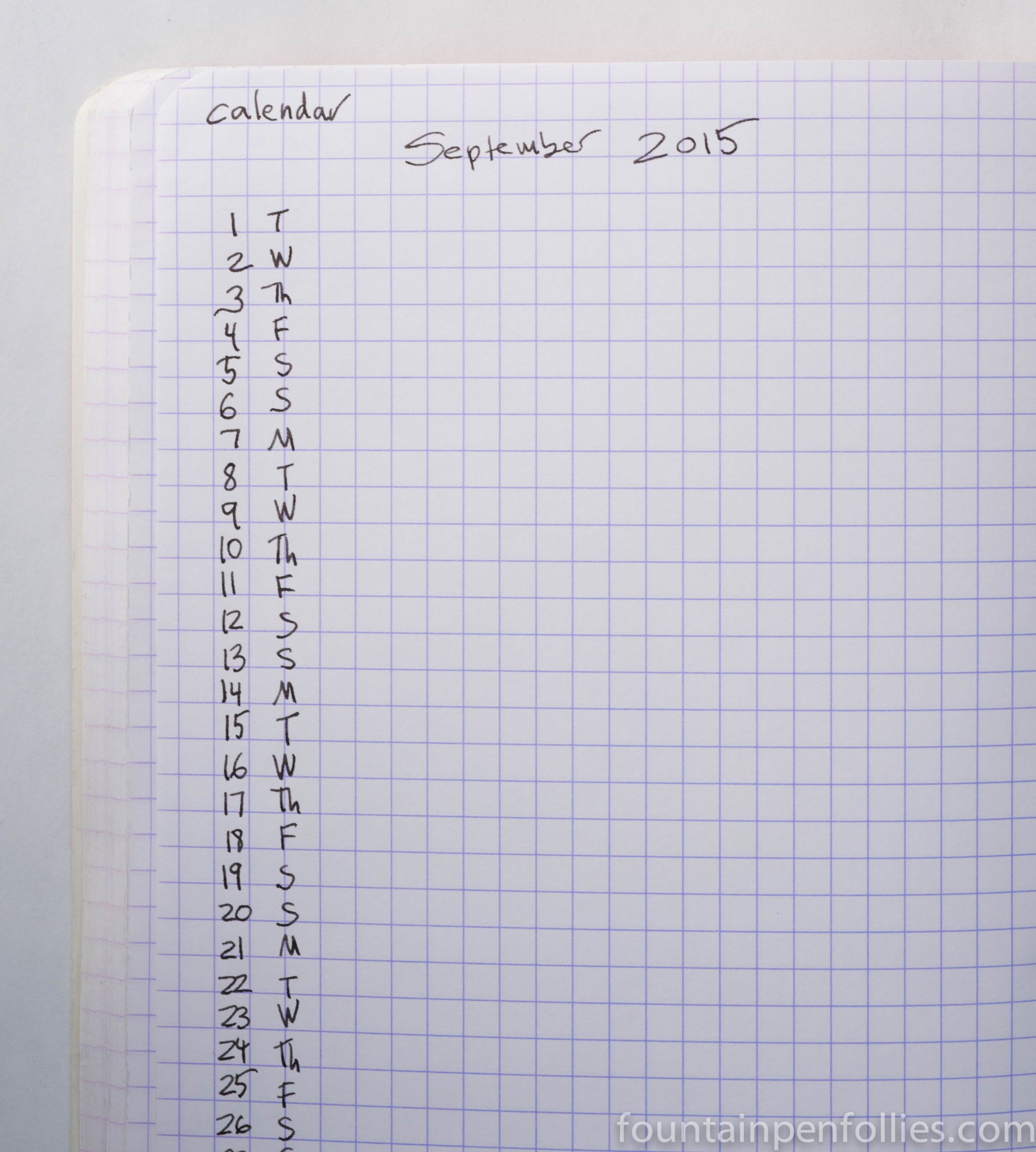
In most months, I only calendar the most important events, like birthdays and doctor appointments, so I can see them at a glance and plan around them. I do not usually use this monthly calendar for more routine tasks like carpools and lessons — those go somewhere else. Here is typical monthly calendar page for me.

You’ll note that the Bullet Journal calendar covers only the current month. The Bullet Journal calendar is not meant to be your main or master calendar. I use the Apple Calendar for that. The Bullet Journal calendar is just a way to see at a glance this month’s major events, which is a real planning help for me, since my main calendar is so packed.
The next page in the Bullet Journal is earmarked for a monthly task list, where you can list larger tasks or goals you want to accomplish that month, like “plan summer vacation.” You can start with a few thing and add as you go. Here again I tend to fall away from strict Bullet Journal method. I don’t really think in terms of months, when I’m planning things, so I don’t always use a monthly task list, or even make one. But I’ve started a monthly list for this month, in an encouraging burst of optimism.
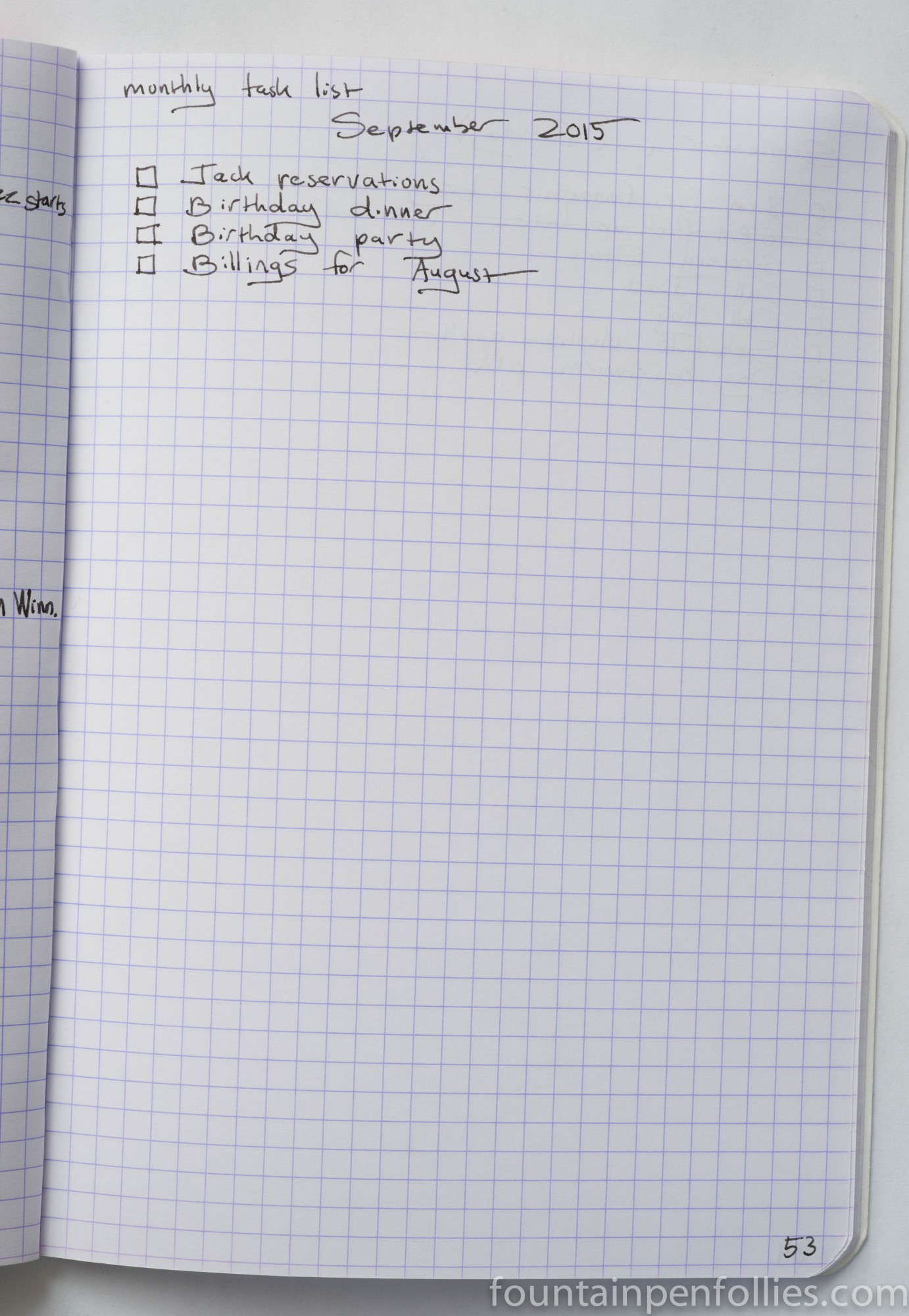
Now, turn the page once more. Because finally, you can start your daily planning. This is the core of the system for me. You make a heading of the current day, like “September 1, 2015 (Tuesday),” and start to list your tasks underneath. It helps to check the monthly Bullet Journal calendar, to see if there’s anything scheduled for that day. When something new comes up, you add it to the running list.
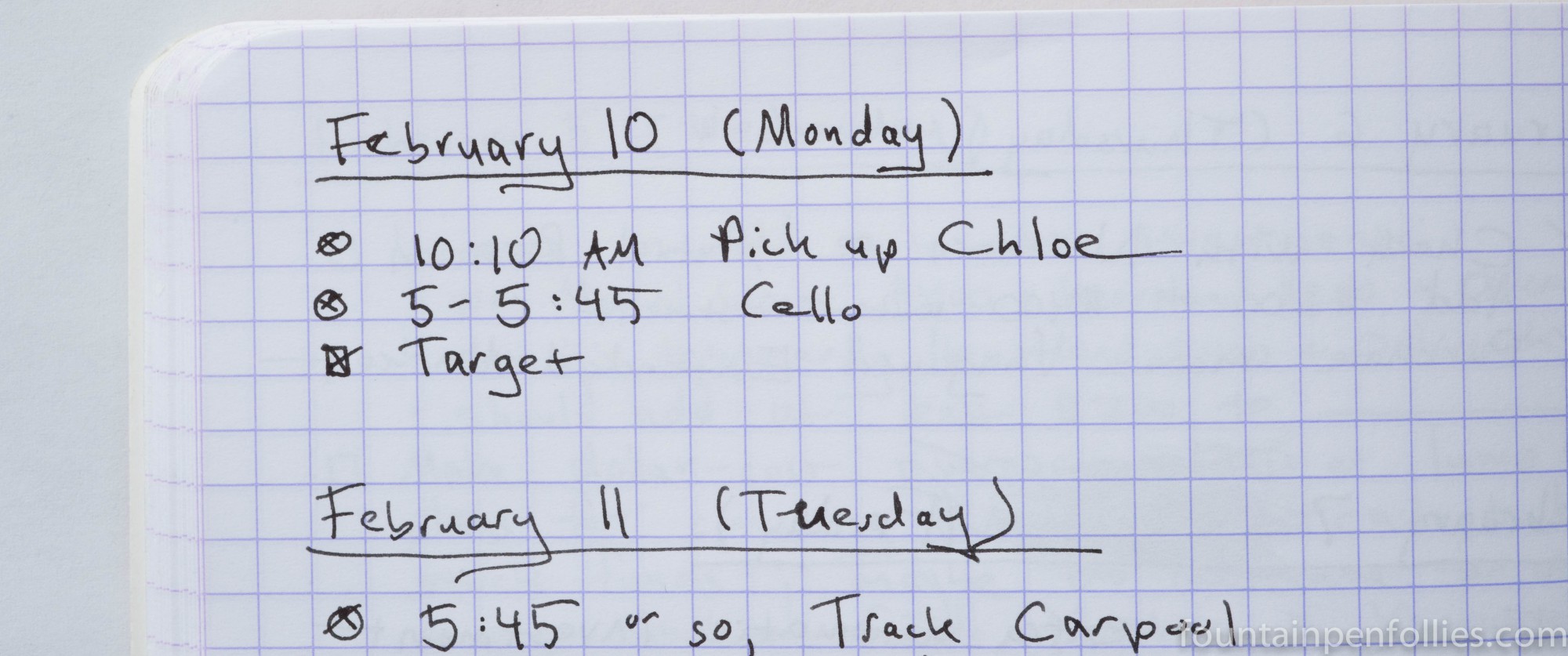
When writing down items in the daily list, you graphically code each entry in the margin to the left of the event. The code is very simple. A circle represents an event or appointment at a specific time: e.g., plane departs 6 pm. A square represents a task to accomplish: e.g., make plane reservations. A third category is represented by a dot, and that is for notes or thoughts that don’t generate a specific task.
So, for example, if you hear the release date of a new book you are interested in, you would use a dot to write down the information if you just want to note it for reference. You’d use a square if you want to tell yourself to order the book from the library. And you’d use a circle if you want to schedule yourself to order the book at 9 am when the library opens.
With dot entries, you don’t have to do anything further. But entries coded with a circle (for an event) or a square (for a task) are different: you are writing down circle or square items so you can “do” them. Therefore, when you finish the appointment or task, you write an “x” in its circle or square to denote that it’s finished.
This graphical interface provides a quick picture of what you intend to do that day, what you’ve finished and what’s left undone. You can re-enter any unfinished tasks for the next day. And if there is a task that you haven’t finished after several days, you can see that, too, and perhaps re-evaluate it.

Another benefit is the ability to flip to the next empty page at any time and create a page for a larger project. I always do a Christmas page, for example, where I can write down gift ideas, menu planning and all the other big-picture items as they occur to me. That lets me plan and organize the event as a whole, over time, and keep all my notes together. I’ll then refer to that master list and schedule smaller tasks, like “order turkey,” on the appropriate day
The great thing about the Bullet Journal is that kind of flexibility. Because you are using a blank notebook, each day’s list becomes whatever length you need. You can add a page for a large project, or an important note, whenever you like. You aren’t hemmed in by the format of a production planner.
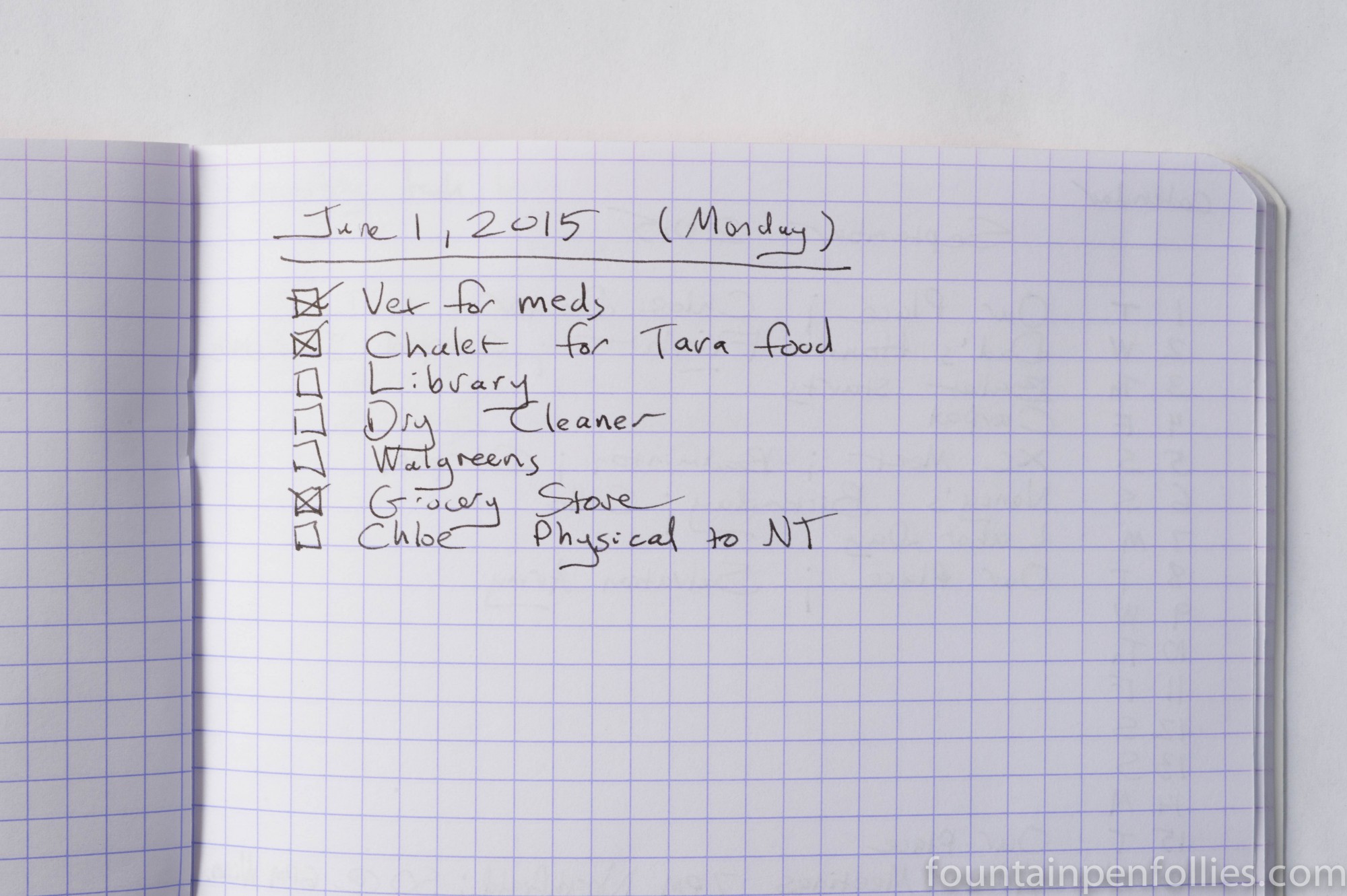
You can also adapt it for your own personality and needs. You aren’t locked into anything, not even into keeping the Bullet Journal going all the time. When I have a big project, or it’s a very busy month, I’ll find myself carrying my Bullet Journal everywhere and using it constantly. At those times it’s an essential planner, notebook and organizer. But when things are slower, or more routine, I may not even pick it up for a month at a time.
And that’s no problem. If the last month you filled in was June, and it’s now September, the Bullet Journal doesn’t care. Just turn the page and write “September,” and you are off. The Bullet Journal is there for you. That’s why it works for me.
_________
If you want to learn more about the Bullet Journal, I encourage you to check out the excellent and attractively designed Bullet Journal website.
 Fountain Pen Follies
Thanks! It’s great to have more examples of a bullet journal in use, because it’s the sort of thing that is more complicated to explain than to actually use!
Free-form planners are amazing. So useful if you have an uneven schedule, alternating stretches of being really busy with slow periods, which I feel may be the case for increasing numbers of people.
LikeLike